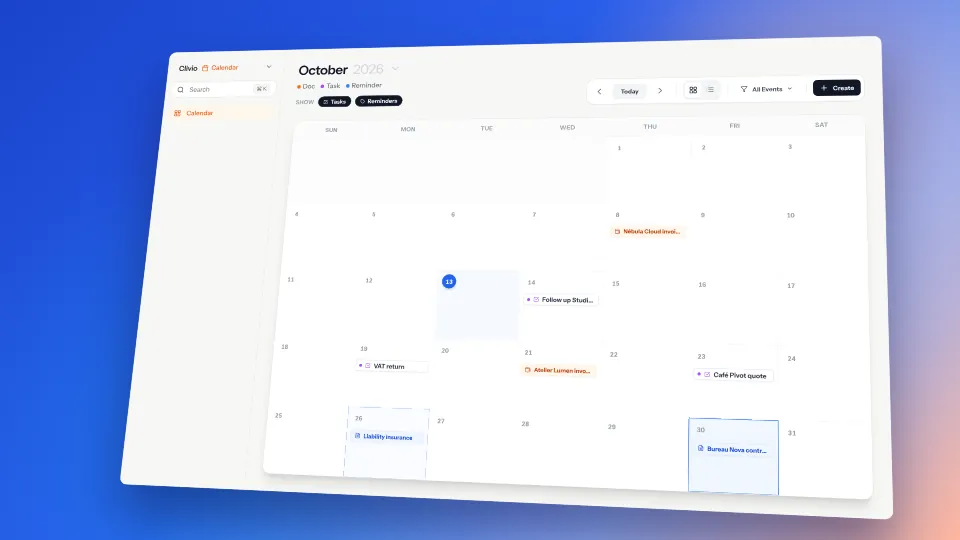
Dates found in three documents land in the calendar next to your tasks. The reminder comes a few days before the due date.
21-second film, no voice-over. Fictional example.
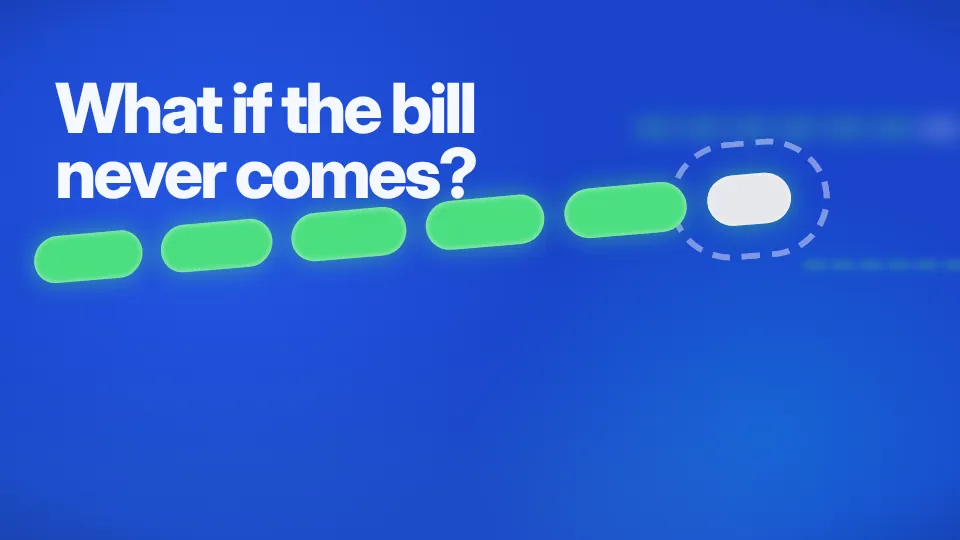
Recurring documents Your energy bill comes every month. The month it doesn’t, a “Missing document” reminder shows up. 0:20
Where the dates in your calendar come from
You don’t copy any dates by hand. Most of them arrive with your documents and with the tasks you approve, and the rest come from reminders you set up once.
Each document’s deadline
As it reads a document, Clivio spots the date that matters most, such as the day an invoice is due, the date a quote expires or the end of a contract. That date appears on the right day without you typing it in.
Your dated tasks
Some you write yourself in one line. Others you approve from a contract or a quote with “Extract obligations”, and those stay linked to the document they came from.
Your recurring reminders
You choose how often, from daily to yearly, then the time and the priority. If the moment is badly timed, you snooze the reminder.
Documents that should arrive
Some papers come back on a fixed schedule, like a rent receipt or the quarterly service charge statement. Clivio knows when they’re due and lets you know when one is missing.
Click a date to open the document.
In the calendar, every deadline stays attached to its document. Click it and you get the summary, the amount and the file, without digging through your folders.
A task that came from a contract, a quote or an invoice takes you back to the original paper in the same way.
Printing of 2,000 flyers for the fall trade show. Payment within 30 days by bank transfer.
Fictional example.
Monthly dates only need to be written down once.
Think of the rent due on the 5th, or the expense reports you enter on Fridays. You create the reminder once, with its frequency, time and priority, and it shows up in the calendar every time it comes around.
- Daily, weekly, monthly or yearly
- A set time and a high, medium or low priority
- A button to snooze it when the moment is badly timed
ACTIVE REMINDERS
The calendar also notices what hasn’t arrived.
Some papers come back every month, every quarter or every year. When one arrives, Clivio automatically matches it to its series. If it’s still missing three days after the expected date, you get an alert.
Fictional example.
Three grace days, then an alert
A rent receipt that turns up a day late is nothing to worry about. So Clivio waits three days after the expected date before telling you it’s missing. If it comes in meanwhile, by email, through your drop page or dragged into the app, it joins its series and you won’t be bothered.
An email at 8 a.m. before each deadline
When a task from a document or a French tax deadline is coming up, you get an email a week before and then the day before, at 8 a.m. local time. You can add a reminder three days before as well. The same reminder appears in the app, and every Monday an email sums up your week.
There are no push notifications on your phone. Reminders go through email and the app.
Fictional example.
Common tax deadlines in France you can add as tasks
If you run a business or file taxes in France, Clivio offers a list of common tax deadlines. You add the ones that apply to you as tasks, and they go into the calendar with the same reminders as everything else.
Dates depend on your situation and your tax regime. Check them on impots.gouv.fr or with your accountant.
Fictional example. It doesn’t replace an official calendar.
About the calendar
Where do the dates come from?
Mostly from your documents, where Clivio picks out the main deadline. Your dated tasks and recurring reminders are added on top, along with the papers you expect every month or every year.
What if the deadline it found is wrong?
Run the analysis on the document again. If the date is still wrong, add a task on the right day and link it to the document. An AI can misread a date, especially on a blurry photo.
Does the calendar sync with Google Calendar or Outlook?
No, not at the moment. The calendar lives in Clivio and reminders reach you by email.
Will I get notifications on my phone?
No, Clivio doesn’t send push notifications. Reminders arrive by email and in the app at 8 a.m. local time, a week and then a day before the deadline unless you change it.
Is it included in the Free plan?
Yes, along with tasks and reminders. The Free plan covers up to 50 documents in total.
Read next
Drop in this month’s invoices. Watch the calendar fill up.
Free for up to 50 documents, with no credit card. The calendar and reminders are included.