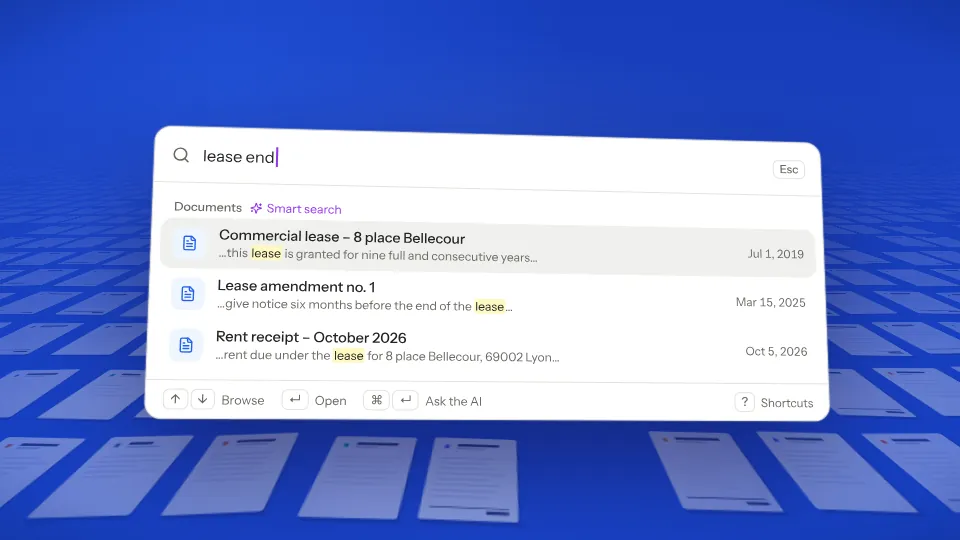
Press ⌘K and search for “lease end”. The lease comes up with the word highlighted. Open it and ask in its AI chat tab, which answers and cites the passage.
21-second film, no voice-over. Fictional example.
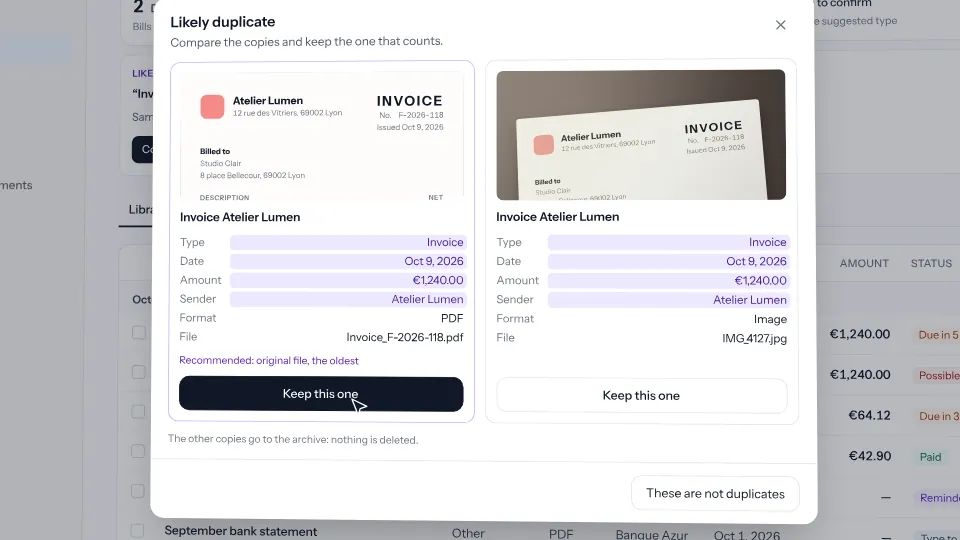
Duplicates The same invoice arrives by email, then as a photo. Clivio flags it, and you keep the copy you want. 0:21
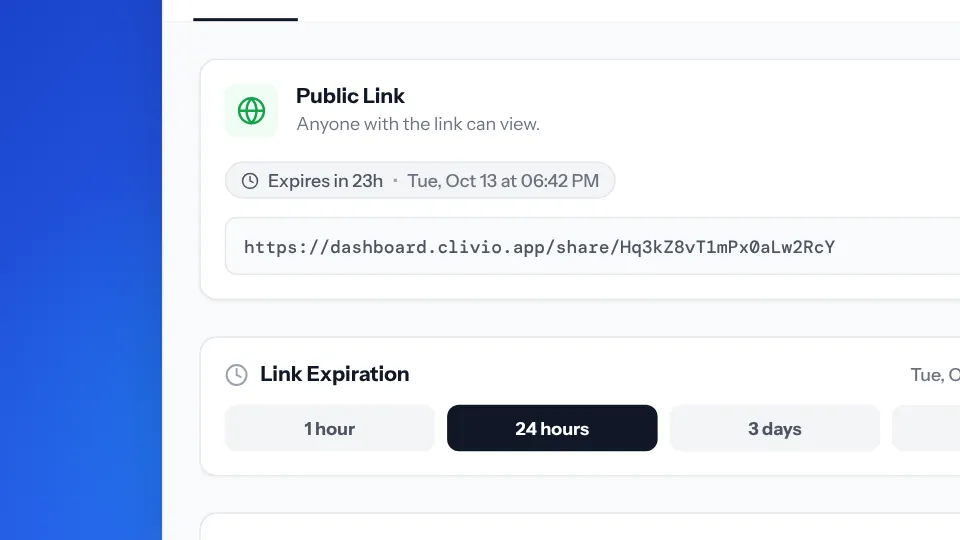
Sharing a sensitive file Before you send an ID card, you make a watermarked copy with its numbers hidden, shared through a link that expires. 0:22
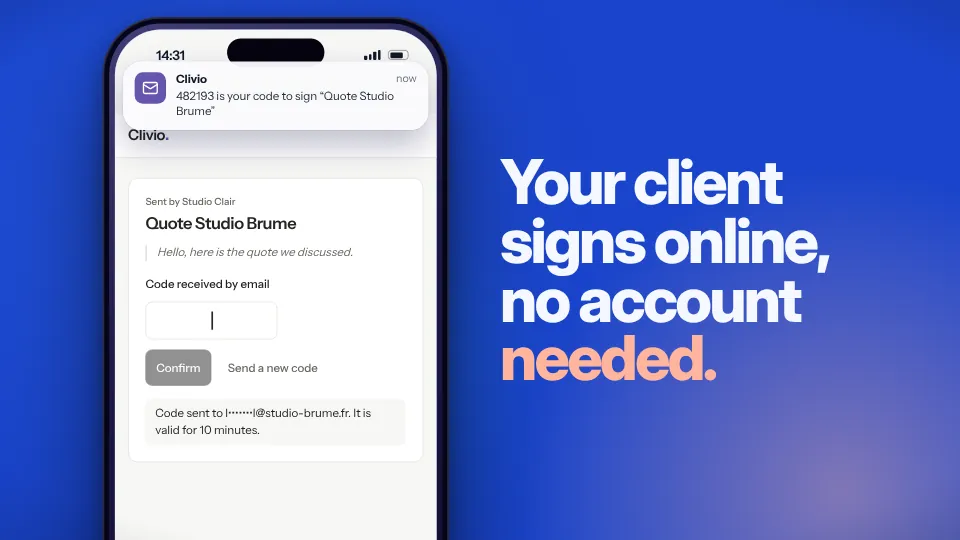
E-signature ProYour client signs a quote on their phone without an account, and the signed PDF comes back with its proof page. 0:21
From a stray file to something you can actually find.
Files come in from email, your phone or your drive
Drag files into the window or forward emails to your Clivio address. For paper, the scanner on your phone does the job, and files already sitting in Google Drive or Dropbox can be imported too.
- PDF, Word, Excel, PowerPoint, CSV, images and text files, up to 25 MB
- Scanner with edge detection, up to 20 pages in a single PDF
- A public drop page for your clients, with no account to create
PDF · DOCX · XLSX · PPTX · CSV · JPG · PNG · HEIC · TXT
It reads and summarizes each document
Clivio suggests a title, recognizes what kind of document it is and sums it up in two or three sentences. It notes the date, the amount and the due date, picks out the companies and people mentioned along with their contact details, and transcribes the full text so search can find it.
On an invoice, it goes as far as the invoice number, the VAT and the line items. A Factur-X invoice, the e-invoicing format used in France, is read straight from its embedded XML and marked “Factur-X certified data”.
Monthly hosting invoice from Lumen Hébergement for October 2026, paid by direct debit on October 1. €28.80 including €4.80 of VAT.
You stay in control
A document that comes from outside, whether by email, through your drop page, from Google Drive or through the client portal, waits in “To sort” until you accept or reject it.
Once it’s accepted, you can correct its title, type, date and tags, or run the analysis again. As for file names, keep the original if you prefer, or set your own naming rules.
Folders that follow your rules
A smart folder collects every document that matches its criteria. You pick them from sixteen fields, such as type, amount or organization, combine them with AND or OR, and can use relative dates like “overdue”. If you’d rather, describe the folder in plain words and the AI writes the rule for you.
Three smart folders on the Free plan, unlimited on Pro.
Search in your own words, then ask the document
Type “invoices over 1,000 euros” or “contracts this month”, the way you’d say it to a colleague. Clivio understands the document type, the amount, the period and who issued it.
Open a document and ask it a question. The answer quotes the passage it comes from and highlights it in the PDF.
When can I give notice, and how much notice do I need?
At any time, with one month’s notice, because the apartment is in a high-demand rental area.p. 2 · clause 4 · passage highlighted
Does the rent go up every year?
It can be reviewed every March 1, based on the rent reference index.p. 3 · clause 7
Share without showing everything
Send a document as a link that expires, and hide the amounts, the IBAN, ID numbers or addresses when the other person doesn’t need to see them.
- Link valid for 1 hour, 24 hours, 3 days or 7 days
- Password-protected shared folders Pro
- PDF editor (signature, stamps, annotations) and e-signature requests Pro
Expires after
What your documents turn into next.
A graph of connections
It shows how your documents, organizations, people, tags and tasks connect to each other.
A contact database
The companies and people named in your documents are listed with their emails and phone numbers, and the AI spots duplicates.
Translation
You can translate a document’s text into English, French, German, Spanish or Chinese.
Versions Pro
Each change to a PDF creates a version you can compare or restore.
Comparison Pro
See what changed between two documents, summarized by the AI, or word by word between two PDFs.
Your data stays yours
Download a ZIP archive of all your files and data whenever you like.
About documents
Can the AI get things wrong?
Yes, especially with a blurry photo or an unusual layout. That’s why you can correct the title, type, date and tags or run the analysis again, and why anything that comes from outside waits for your approval.
What is an AI action?
It’s one job handed to the AI. Analyzing a document when it arrives counts as one, and so does each question you ask in the chat or each translation. You get 50 a month on the Free plan and 500 on Pro. Searches don’t count.
Can I keep my own file names?
Yes. You choose between the title the AI suggests, the original name, or a naming convention of your own that you can set per document type.
Are my documents used to train an AI?
Clivio doesn’t sell your data and doesn’t use it to train a model of its own. Analysis goes through the Google Gemini API, and part of the processing takes place in the United States. The details are on the Trust page.
Read next
Drop in three documents. See what Clivio does with them.
It’s free for up to 50 documents. You can move to Pro on the day that’s no longer enough.