What you get when you drop a file
Read a Factur-X, UBL or CII invoice
The reader works out which format you dropped and shows the invoice as an ordinary document. You can see who is selling and who is buying, what it costs with VAT, when it’s due and which IBAN to pay.
- UBL or CII XML files, or a Factur-X PDF whose embedded XML is extracted
- An EN 16931 checklist confirms that seven basic fields are present
The checklist only looks at whether those fields exist. It isn’t official, and it doesn’t replace a formal validation or the checks your accredited platform runs.
Open the readerEN 16931 checklist
- Invoice numberpresent
- Issue datepresent
- Sellerpresent
- Total excl. VATpresent
- Total VATpresent
- Total incl. VATpresent
- Currencypresent
Fictional example.
Convert a Factur-X invoice to PDF
The invoice is laid out like a paper one, with its lines, the VAT for each rate, the due date and the supplier’s IBAN. The “Download as PDF” button opens your browser’s print dialog, where you pick “Save as PDF”.
- Handy for printing an invoice, or sending it to someone who has no e-invoicing software
- Works with UBL and CII XML files too
This PDF is for reading and sharing. For your records, keep the file you received, because its XML is part of the invoice.
Open the converterBuyer: Camille Martin EI
Issued 2026-10-01
Due 2026-10-01
| Description | Qty | Line total |
|---|---|---|
| Shared web hosting, October 2026 | 1 | 20.00 |
| .fr domain name, October 2026 | 1 | 4.00 |
IBAN FR76 •••• •••• 8823
Fictional example.
Rename invoices in bulk
Drop several invoices at once. For each readable XML or Factur-X file, the renamer suggests a name built from the issue date, the supplier and the total including VAT. You can edit any name before you download, one file at a time or all of them in a single ZIP archive.
- Names follow YYYY-MM-DD_Supplier_Total
- Accents and spaces are dropped, so “Lumen Hébergement” becomes “Lumen-Hebergement”
- A PDF without readable XML keeps its original name and gets flagged
Fictional example.
It never leaves your computer.
An invoice holds amounts, an IBAN and tax identifiers. These tools don’t send any of that anywhere, because all the work happens inside the tab you have open.
Drag it onto the page or choose it on your device.
With a Factur-X PDF, the tool first pulls out the embedded XML, then reads its fields.
The file doesn’t go through any server and nothing is kept. Once you close the tab, it’s gone.
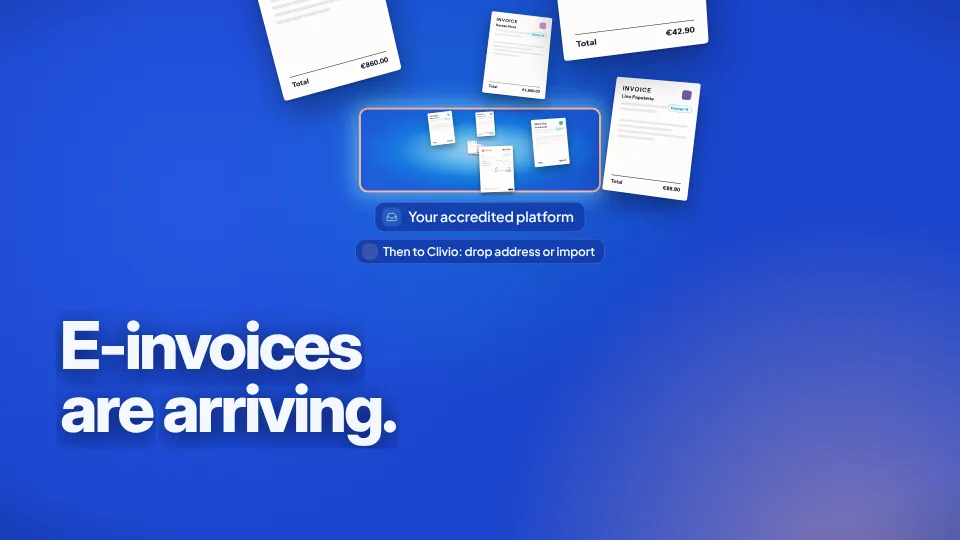
A Factur-X invoice looks like an ordinary PDF with an XML file inside. Your accredited platform receives it; sent on to Clivio through your drop address or an import, it is read, XML included, and filed with the others.
21-second film, no voice-over. Fictional example.
Twenty invoices a month is a job for Clivio.
Clivio reads Factur-X invoices the same way, from their XML, and marks them “Factur-X certified data”. You can email them to your Clivio address, drag them onto the page or import them from Google Drive. Each invoice is filed in your folders and its due date shows up in your calendar.
- Your own drop address, like camille-k3x9@inbox.clivio.app
- Your own naming rules, or the original file name if you prefer
- A “2026 Reform” panel that shows, supplier by supplier, how many of your invoices arrive as Factur-X Pro
Clivio is not an accredited e-invoicing platform. It files what your platform and your other channels send you.
Share of invoices received as Factur-X, by supplier
Fictional example.
About the free tools
Are my files sent anywhere?
No. The file is read in your browser. It doesn’t go through any server and nothing is kept.
Do I need an account?
No. Open a tool and drop your file. We don’t ask for an account or an email address.
My Factur-X PDF won’t open. Why?
Most likely it’s a plain PDF with no Factur-X XML inside, which means it isn’t an e-invoice. Sometimes the XML isn’t standard either. Ask your supplier for the XML file, or download it from your accredited platform, then drop it into the tool.
Does the checklist validate my invoice?
No. It only checks that seven fields are there: the invoice number, the issue date, the seller, the total before VAT, the VAT, the total with VAT and the currency. It’s a quick check that doesn’t replace an official validation or the checks run by your accredited platform.
Can I change the names the renamer suggests?
Yes. Every name stays editable until you download, so you can follow your own conventions.
Do these tools replace an accredited platform?
No. In France, only an accredited platform (PA) sends and receives your e-invoices through the official network. These tools read files you’ve already received. If you need to choose a platform, our guide to accredited platforms is in French.
Further reading
Keep every invoice where you can find it.
Each invoice you drop into Clivio is read, Factur-X included, then filed in your folders, and its due date goes into your calendar. Free for up to 50 documents.